Search This Blog

Saturday, 14 June 2025

Website Structure

Website Structure


What do you mean by Header?


Header is the top most section of a website that includes the logo and navigation menu. It might include logo, navigation menu, tagline, phone number, address, search box, login or my account link etc.

It’s a good practice to keep the header very simple and lead the user to the navigation menu. A header is called sticky or fixed when it stays in place at the top of the window when the user scrolls down.

A proper formatted header can significantly boost a website’s SEO.


What do you mean by Slider?

Slider is a feature on a website that displays a rotating series of images like a slideshow. 

This section is designed to capture attention and often includes high impact visuals, headlines and call-to-action buttons. In sliders, the images usually slide horizontally from left to the next.

 Sliders are not much in trend these days because it slow down your site’s load time and isn’t always the best experience for mobile users. Although sliders can add more visual interest, sliders are often more decorative than practical.


What do you mean by Body?

The Body of a website refers to the main content area of a web page typically located in the centre and containing the page’s unique content.

This includes texts, images, links, videos and attractive applications. The content of the body can vary from page to page within a website. For example, a product page might have detailed description of the product, while a blogpost page would have the article text, comment section and related links.


What do you mean by Footer?

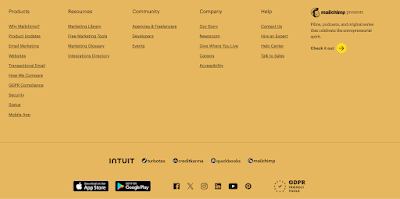
A Footer is the section at the bottom of the webpage that remains consistent across your entire site, much like a header but at the opposite end of the page.

It contains elements like contact info, FAQs, privacy policy, t&c, social media icons etc.

Footer is a great place to catch the visitor’s attention and guide them deeper into your website when they reach the bottom of the page.
 

Difference between http and https

 Difference between http and https

Http

  • Stands for HyperText Transfer Protocol.
  • It is used to transmit hypertext or data over the internet in the form of plain text without security and not scrambled before sending.
  • It lacks security and is vulnerable to hackers.
  • Http is fast compared to https.
  • It does not help in improving search ranking.
  • A website that uses http has http:// in its URL.

Https

  • Stands for HyperText Transfer Protocol Secure.
  • It is a more advance and secure version of http. In this data exchange happens in cipher or encrypted text. 
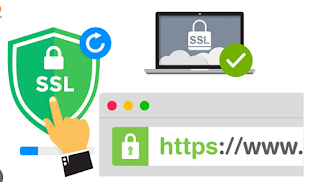
  • It offers SSL/TLS digital certificate to protect the communication between server and client.
  • Computation power is consumed by https to encrypt the communication channel, so it is slow.
  • It helps in improving search rankings.
  • A website that uses https has https:// in its URL.

How Encryption & Decryption works in SSL?

 How Encryption & Decryption works in SSL?


Decryption

 What do you mean by Decryption?


Decryption is the  reverse process of converting the ciphertext back into the original plaintext that could be read and understood.

SSL uses both symmetric and asymmetric encryption. In symmetric key encryption, same key is used for both encryption and decryption.  Both the parties must have access to the key. In asymmetric encryption, public/private key is used where public key encrypts and private key decrypts. 


Encryption

 What do you mean by Encryption?


It is a process of encoding information in such a way that only authorized party can access it. It converts plaintext into ciphertext that is hard to decode which looks like gibberish to unauthorized viewers and only data sender and receiver can encrypt the information.

Encryption can be used to keep the intruder away from getting the content of transmitted data.

The sender encrypts the data using a key that only intended recipient possessing the decryption key, can unlock it.

Importance of SSL

 Why SSL is important?


Data encryption- Originally, data on the internet could be read by anyone if they intercepted the message. There was no privacy. So SSL was created to remove this problem and protect user’s privacy. By encrypting any data which goes between user and website, SSL ensures that whoever intercepts the data will see a garbled mix of characters.

Security- SSL also stops certain types of cyber attacks. It authenticates web servers, which is important because attackers often try to set up fake websites to trick users and steal data.

Protects Data- It also prevents attackers from tampering with data in transit, like a tamper-proof seal on a container.

User Trust- Websites with SSL security build trust with users, as they know their data is being transmitted securely.

SEO- SSL is a factor in SEO as search engines like google chrome prefer websites with SSL certificates, potentially improving search engines.

Website Authentication- SSL verifies the identity of website. It ensures that both devices are really who they claim to be.

Compliance- Many industries and regulation require websites to use SSL for security and data protection.

Browser Compatibility- Modern browsers display a security warning or error if website doesn’t have SSL certificate, potentially preventing users from visiting the website.


Work of SSL

 How SSL protects Website?


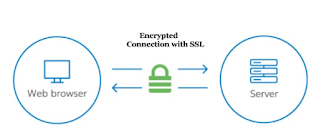
SSL protects your website by encrypting data transmitted between the user’s browser and  website, ensuring that sensitive information like passwords and credit card details are scrambled and unreadable during transit. Anyone who tries to intercept this data will see a garbled mix of characters that is nearly impossible to decrypt.

SSL initiates a authentication process called a handshake between two communicating devices to ensure that both devices are really who they claim to be.

Also, SSL uses public and private key to ensure secure connection (https) by encrypting data with public key, which can only be decrypted by private key held by the server, ensuring secure connection.


How to improve website vitals?

  How to improve website vitals? To improve LCP Use a content delivery network (CDN)- CDNs cache content in all locations all over the worl...

Search This Blog